


Add polls, quizzes, word clouds and interactive content directly into Google Slides
Vevox has launched a new Google Slides integration, making it easier than ever to add Google Slides polling, quizzes, word clouds, and interactive content into your presentations. If you use Google Slides for teaching, training, or meetings, this update will transform the way you engage your audience and make it even easier to use Vevox for your sessions.
What is the Vevox Google Slides integration?
The Vevox integration allows you to run the key polling and quizzing features of Vevox:
- Google Slides polls (live and on-demand)
- Google Slides quizzes for learning and assessment
- Google Slides word clouds for instant audience feedback
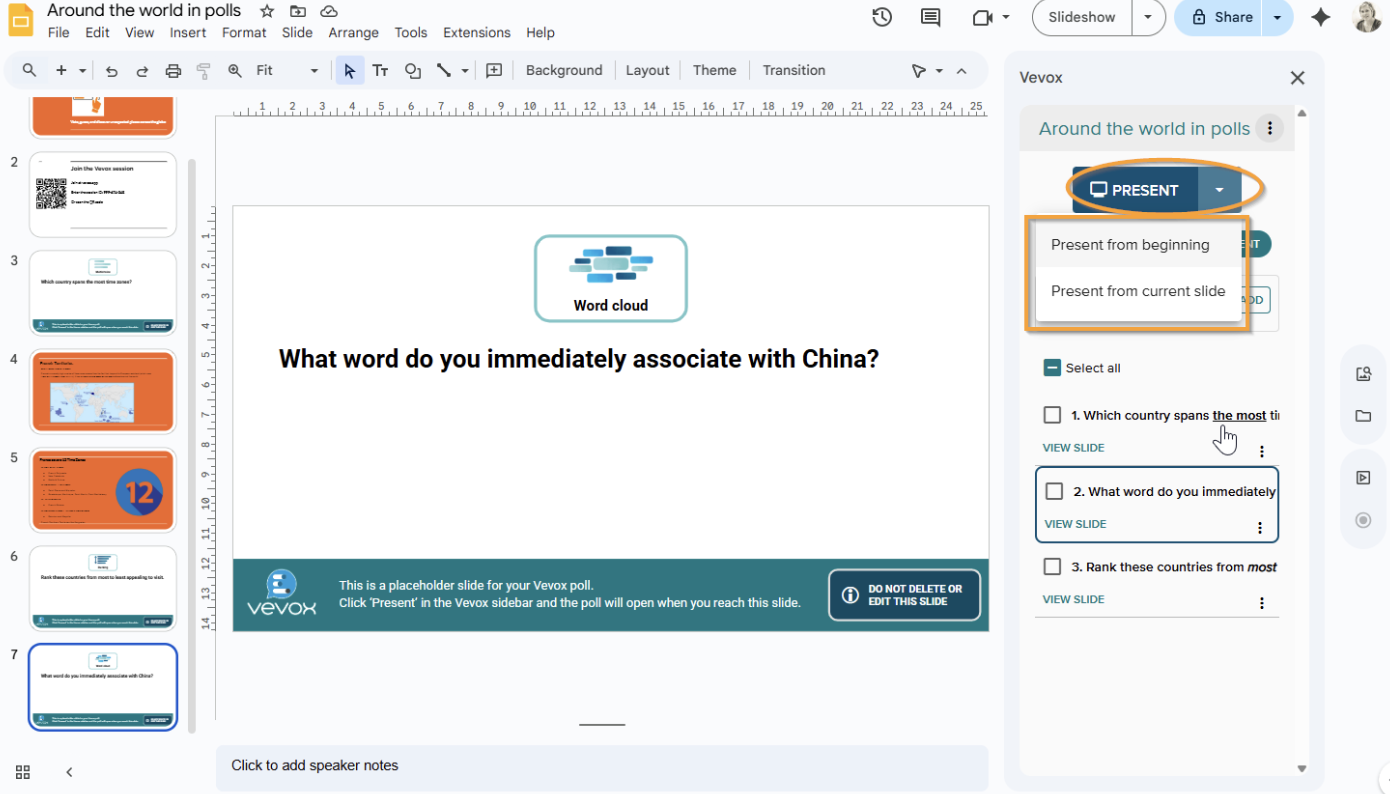
No need to switch tabs or juggle multiple tools, everything works seamlessly inside Google Slides. You can find out more how it works in our help article on Google Slides.
Why use polls and quizzes in Google Slides?
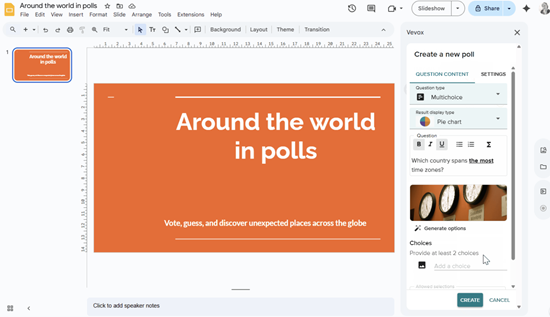
Adding interactive content to Google Slides is one of the most effective ways to increase engagement and participation.
With Vevox, you can:
- Turn passive presentations into interactive experiences
- Collect instant feedback using live polls in Google Slides
- Test knowledge with Google Slide quizzes
- Visualize responses with word clouds in Google Slides
This is especially valuable for:
- Educators using Google Slides & Classroom
- Corporate trainers and L&D teams
- Event organizers and presenters who are Google users
- Remote and hybrid meetings and classes
“Our integration with Google Slides makes it easier than ever for customers to create interactive and engaging presentations with Vevox. By embedding polling, quizzes and word clouds directly into a familiar platform, we are helping users connect with their audiences in a more simple, seamless and effective way.” Pete Eyre, Managing Director at Vevox
How to add polls, quizzes and word clouds to Google Slides
Getting started is simple:
👉 Download the Vevox add-on from the Google Workspace Marketplace.
Once installed, go back to 'Extensions' and select Vevox. Follow the prompts to sign in to Vevox and select an existing session, or create a new one. You will need to sign up to Vevox if you don't already have an account.
You will then be able to add interactive content to your slides such as
- Polling slides (from different poll types such multiple choice poll, text polls etc). Please note certain poll types are only available on paid plans.
- Quiz questions
- Word cloud interactions
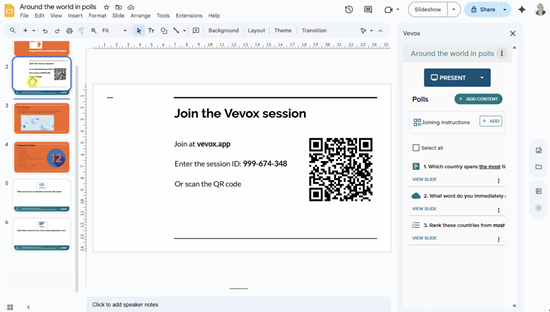
TIP: Don't forget to add joining instructions with our simple template slide you can add in that has all the session details for users to join the Vevox session via their smartphone devices.
Learn more about Google Slides polling with Vevox
For more details on features and use cases, visit:
These resources cover everything from setup to best practices for running interactive Google Slides presentations. But if you need anything more you can contact us on hello@vevox.com.
Get started with the Google Slides integration
With Vevox’s new integration, Google Slides interactive content is no longer complicated or time-consuming. You can now run Google Slides polls, quizzes, and word clouds all in one place, helping you create presentations that truly connect with your audience.
Start today and sign up for a FREE Vevox account.


